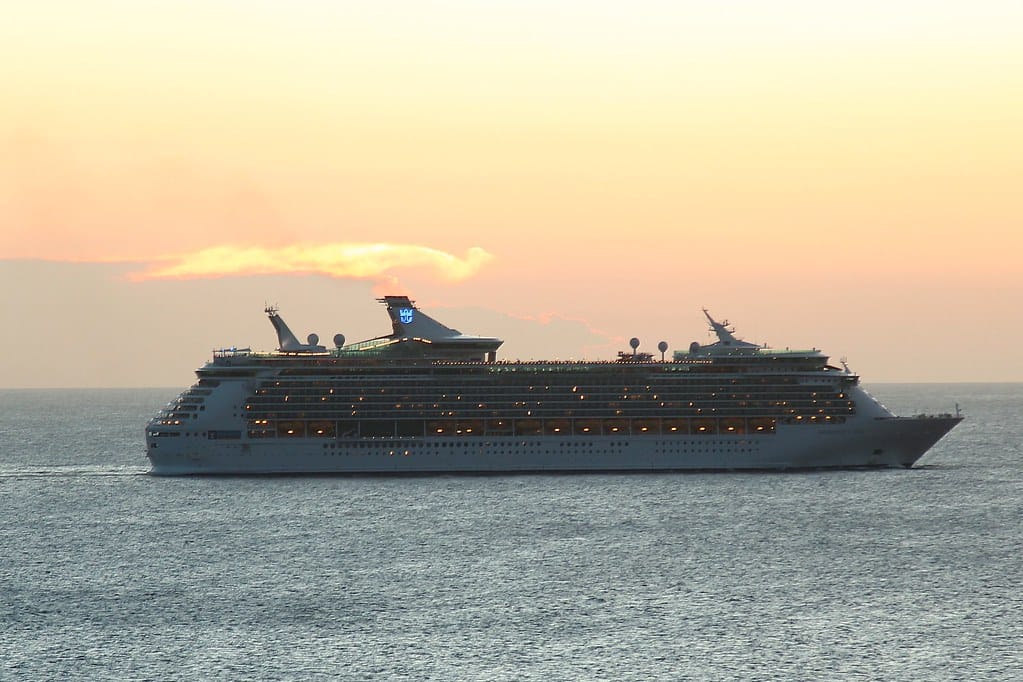
Short answer: GigSky can work on eligible cruise ships and in port if you buy the correct specialist plan. A normal land eSIM is not designed for sea days. For most cruisers, the right starting point is Cruise + Land: one data product for eligible ship coverage and listed destinations. Check your exact ship and itinerary before paying.
Cruise mobile data is where otherwise sensible travellers get stung. Your phone sees a signal, you open Instagram, and suddenly it has connected to a maritime network rather than a normal local carrier. That is the roaming version of ordering a “small” bottle of water at an airport lounge.
GigSky’s cruise range is useful because it acknowledges the problem properly. But it is still data, not magic satellite fibre. Here is how to choose it without guessing.
Cruise deal
Use ESIMADVICE15 for 15% off eligible GigSky plans (fallback: AFFMAVEN10 for 10%), then confirm the reduction on the exact cruise product at checkout. One code per order.
Check GigSky cruise plans →GigSky Cruise + Land versus Sea-only
| Plan type | Best for | What to verify first |
|---|---|---|
| Cruise + Land | Guests who want data on eligible sea days and in port | Exact ship, sailing region and every shore destination |
| Sea-only | Travellers focused on ship connectivity | Ship eligibility and whether you have separate land data |
| Country/regional land eSIM | Port days only | It will not automatically cover at sea |
| Ship Wi-Fi package | Heavy browsing, calls or streaming on board | Device limits, video permissions and package price |
GigSky’s cruise page says its Cruise + Land eSIM works at sea and in port, with coverage on 290+ cruise ships and 200+ land destinations. Good coverage headlines are not a substitute for a compatibility check. Cruise lines use different equipment, itineraries change, and some routes have long stretches away from the best signal.
The low-stress approach is to find your ship and itinerary in GigSky’s live plan flow, check the included destinations, and only then compare price.
When a GigSky cruise eSIM makes sense
It is a good fit if you want to:
- message family on sea days;
- use maps and ride apps once you step ashore;
- check port times, bookings and travel documents;
- avoid the risk of accidental maritime roaming on your home SIM;
- keep one eSIM rather than juggling a ship solution and separate country SIMs.
It is less perfect when your whole plan is to stream movies in the cabin, run long video meetings, upload large videos, or tether several people every day. In that case, compare the cruise line’s Wi-Fi package too. There is no shame in using both: a travel eSIM for your phone and a ship package for a laptop-heavy work day.
The golden rule: check the ship, not just the cruise line
Do not search “Does GigSky work on Royal Caribbean?” and stop there. You need the specific ship and itinerary. One fleet can have differences in equipment and available coverage.
Before buying, collect:
- Cruise line and exact ship name.
- Sailing date and route.
- Embarkation port, all ports of call and disembarkation port.
- Sea days and whether you care about data then.
- Whether you are extending the trip before or after the cruise.
Then match that against the current GigSky plan. If the plan only solves the ship part but you have two nights in Barcelona before boarding, a Cruise + Land plan may be cleaner than buying a second eSIM. If you only want messages at sea and already have an excellent land eSIM, Sea-only may suit you better.
How much cruise data do you need?
At sea, data feels more precious because Wi-Fi may be patchy and you are less likely to find a free café connection. Budget by behaviour.
| On-board use | Starting data idea | Reality check |
|---|---|---|
| Messaging, weather, port info | Small allowance | Usually enough if photo backup is off |
| Maps and social posting in port | Medium allowance | Shore days can use more than sea days |
| Daily photo/video uploads | Large allowance | Upload on port Wi-Fi where possible |
| Laptop work and video calls | Large/unlimited + backup plan | Check speed and hotspot conditions |
| Streaming | Avoid relying on mobile data alone | Ship Wi-Fi may still be the better tool |
Switch off automatic app updates, cloud photo backup and Wi-Fi Assist before boarding. These settings are the silent buffet guests of mobile data: they show up uninvited and consume everything.
Set up GigSky before embarkation
Do not leave eSIM installation until the ship has sailed. Use dependable Wi-Fi at home, in the hotel or at the terminal.
- Confirm your phone supports eSIM and is carrier unlocked.
- Buy the correct GigSky cruise product.
- Install with the GigSky app or the supplied QR code.
- Label the new line “GigSky Cruise.”
- Set it as your mobile-data SIM only when you are ready to use it.
- Keep your usual SIM available for calls/SMS if needed, but switch its data roaming off.
- On iPhone, disable cellular-data switching so your phone does not fall back to the home line.
GigSky’s support guidance says the APN is gigsky if manual configuration is required. For normal smartphone use, turn data roaming on for the GigSky line when its instructions say so. That can feel backwards, but it is how many travel eSIMs access partner networks. The expensive roaming line to keep off is your home SIM.
Read our full GigSky setup guide before your travel day.
Installation is not always activation
This is the detail most cruise guides skip. GigSky says a plan will normally activate when your device connects to a covered network. But it warns that a cruise plan, world plan or regional plan covering your current location may activate when you download and install the eSIM.
If you are already in the embarkation region, do not install casually days early. Read the plan’s current activation rule and ask support if the timing is unclear. A data allowance that starts counting down before you board is not a travel hack.
GigSky cruise eSIM versus ship Wi-Fi
They solve overlapping but different problems.
GigSky cruise eSIM is attractive for mobile data, quick messages, maps in port and avoiding physical SIM swaps. It can cover sea and land where eligible.
Ship Wi-Fi is attractive when you need a broader on-board internet session, multiple devices, streaming, video calls or work that cannot tolerate a mobile-network drop. It may also have app exclusions, device limits and pricing tiers.
For light users, GigSky can be enough. For heavy users, think in layers: download entertainment before sailing, use GigSky for your essential phone connection, and add ship Wi-Fi only if the work or entertainment is worth it.
Common cruise eSIM mistakes
Buying a normal land eSIM for a sea-day problem
Land coverage ends at land. A Caribbean country plan may be great in Barbados and useless in the middle of the ocean.
Leaving home roaming on
This is how maritime charges happen. Turn off home-line data roaming before the ship leaves port, and check the settings once more after boarding.
Assuming every port belongs to the region
Cruise routes are sneaky. A Mediterranean itinerary can include a country you did not expect; a Caribbean route can hop between territories with different coverage rules. List every stop.
Trusting vague “unlimited” wording
Read the high-speed, throttling and hotspot conditions. “Unlimited” after a restriction is not necessarily bad; it just needs to match your use.
Testing nothing before departure
Install the eSIM on good Wi-Fi and keep screenshots of the QR/activation details. The middle of the ocean is a poor place to learn your phone has a carrier lock.

GigSky cruise eSIM FAQ
Does GigSky work on all cruise ships?
No provider should be assumed to work on every ship. GigSky advertises coverage on 290+ ships, but you must verify your exact ship and sailing in the current plan details.
Does a GigSky cruise plan work in ports?
Cruise + Land plans are designed for eligible sea and land destinations. Check every port, including embarkation and disembarkation cities.
Can I use my phone as a hotspot on a cruise?
GigSky supports eSIM hotspot use on compatible devices, but plan conditions and on-board performance still matter. Do not rely on it for critical work without a backup.
Can I use ESIMADVICE15 on a cruise plan?
Try ESIMADVICE15 at checkout and confirm the final saving; AFFMAVEN10 may give 10% off where the first code is not accepted. Treat cruise eligibility as product-specific until it is visible in the checkout total.
Final verdict
GigSky is one of the more sensible names to investigate when your trip includes sea days. Its Cruise + Land angle tackles the exact moment ordinary land eSIMs stop being useful. Just do the unglamorous checks first: ship, itinerary, activation timing and final plan price.
See eligible GigSky cruise options →Apply ESIMADVICE15 at checkout and confirm the discount on your exact cruise product before paying.
Sources and update notes
Facts last checked 19 July 2026 (page last updated 30 July 2026). Cruise coverage and coupon eligibility should be checked live before purchase: